GuideHow to schedule candidate interviews
Contents
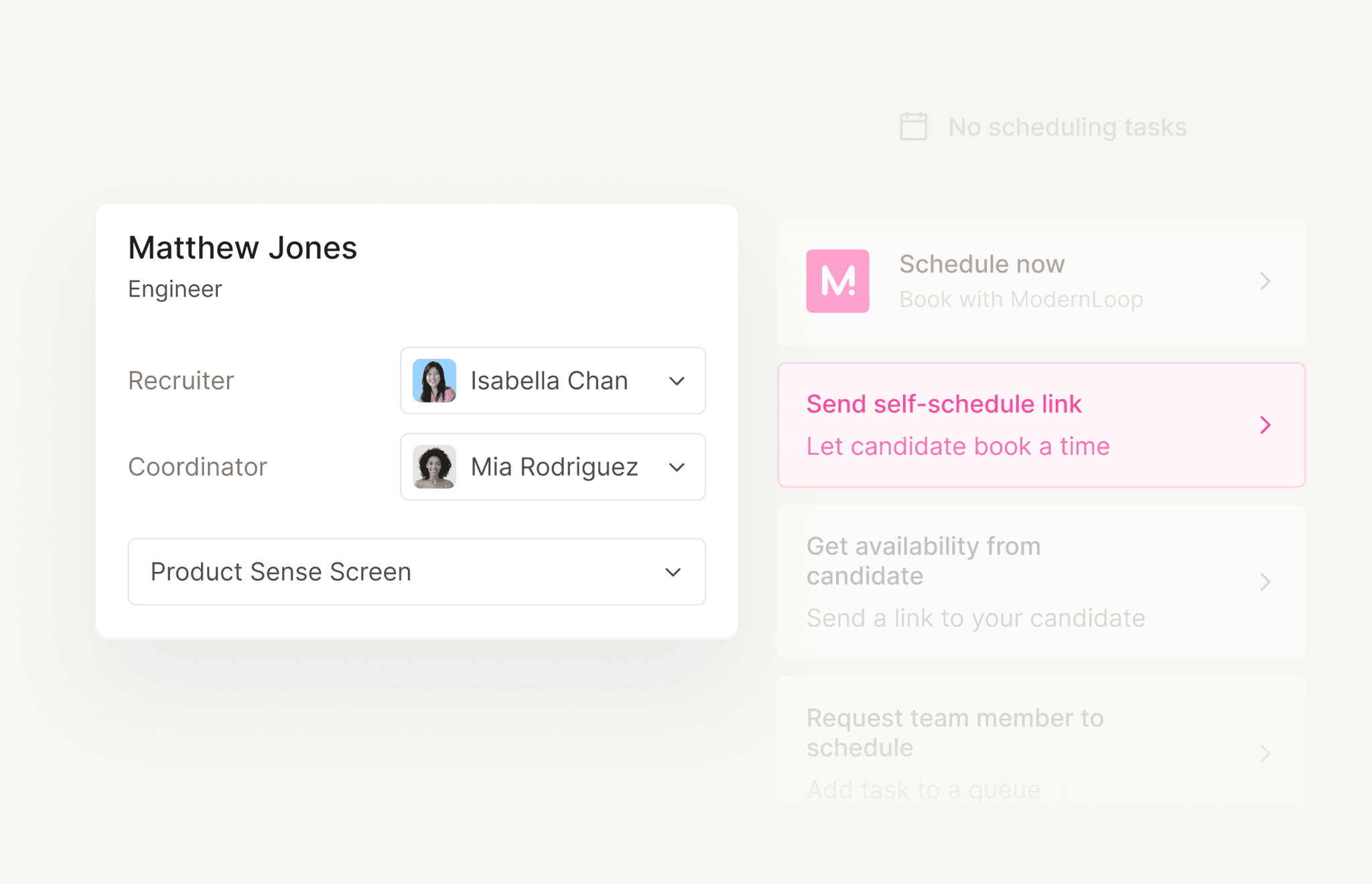
Short answer
Scheduling candidates well comes down to six steps: confirm the interview plan, line up trained interviewers, get the candidate’s availability or send a self-scheduling link, book one invite per interview with times in the candidate’s zone, remind everyone, and handle changes within a business day. Speed comes from tightening the handoffs between them.
Scheduling candidates, step by step
Whether you’re booking a 30-minute recruiter screen or a five-interview onsite, the process has the same bones. What changes is how many calendars have to agree. Here’s the sequence, in order.
Two decisions shape everything else. First, who proposes the time. Self-scheduling is fastest for a single interview; for a loop, it usually works better when the coordinator, or software, proposes complete schedules and the candidate picks one. Second, where the request starts. If a recruiter has to message a coordinator every time a candidate moves stage, you’ve added a handoff before step one has even begun.
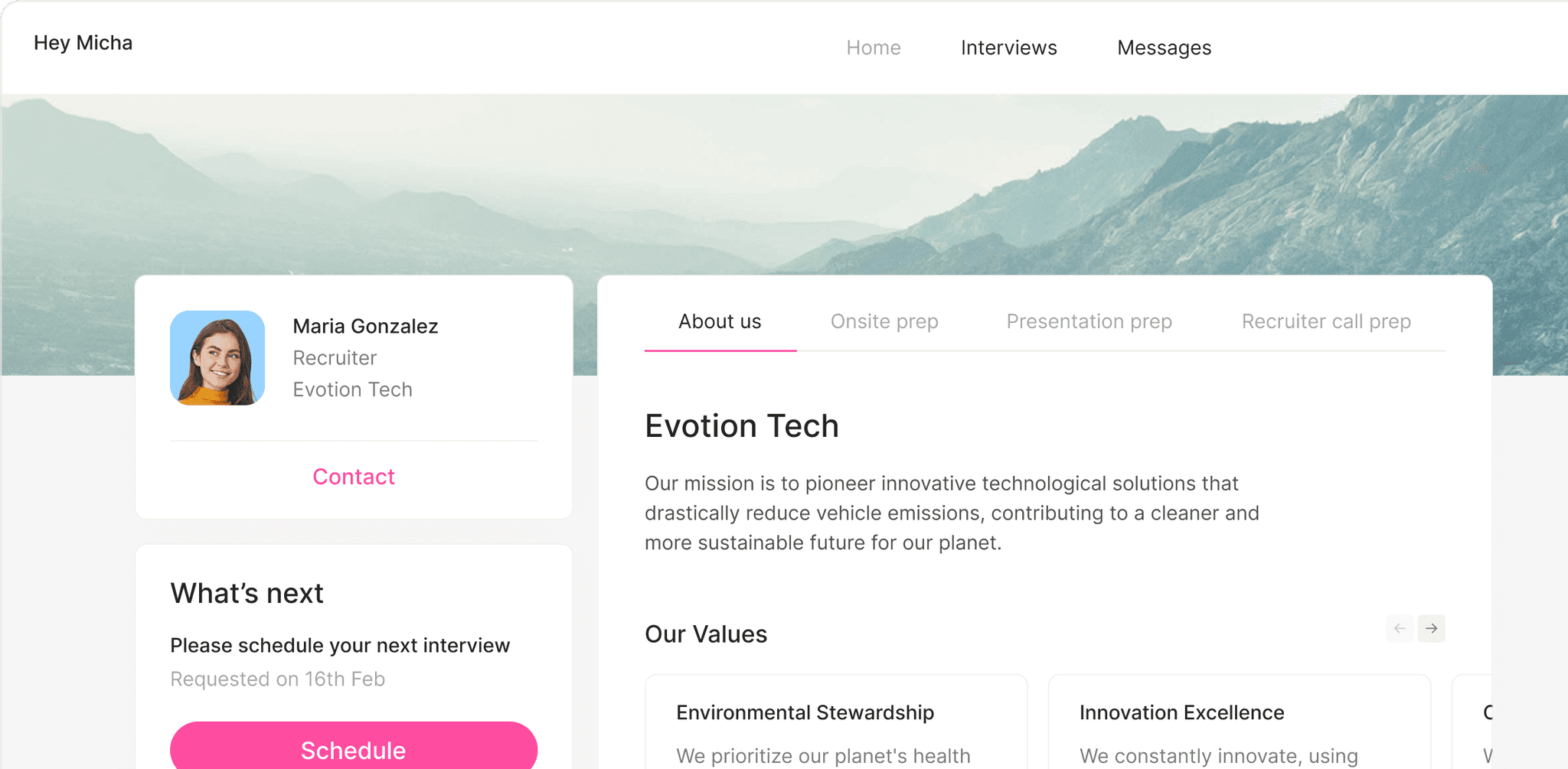
The candidate’s side in ModernLoop: the Candidate Portal shows their next step, here scheduling their next interview.


Where scheduling lives in Workday, Greenhouse and Lever
Most enterprise teams start from the ATS, so it helps to know where each one puts scheduling. Here’s how each vendor’s public help documentation describes it. Your admin’s configuration may differ, so treat this as a map, not a manual.
| ATS | Where you schedule | Candidate self-scheduling | Worth knowing |
|---|---|---|---|
| Greenhouse | On the candidate’s profile, with Automated scheduling or Schedule manually. Availability requests sit under a stage’s To-do tab. | A self-schedule request lets the candidate pick one time from the interviewer’s calendar. Stage transition rules can send availability or self-schedule requests when a candidate enters a stage. | Interviewers must connect their calendar to appear in self-schedule requests. Only Site Admins, or Job Admins allowed to email candidates, can send them. |
| Workday Recruiting | In the Interview business process, which includes a Schedule Interview Team step. With the Google Calendar or Microsoft Outlook 365 integration, Workday sends invitations, updates and cancellations to interviewers. | Workday’s documentation says candidates can’t schedule their own interviews in Workday. Candidate Self-Scheduling covers recruiting events, such as group interviews, booked from Candidate Home. | Configuration varies by tenant. Ask your Workday admin how your Interview business process is set up. |
Whichever ATS you use, the principle is the same: the stage change should start scheduling, and the result should be written back to the candidate’s record.
Timing rules for scheduling candidate interviews
These are the defaults we’d start with for a professional role. They’re recommendations, not benchmarks: tighten them for high-volume hiring and loosen them for executive searches.
| Rule | Recommended default | Why |
|---|---|---|
| Send the scheduling request | The same business day the candidate moves stage | Interest cools while a request waits in someone’s inbox. |
| Earliest slot | Next business day for screens; two to three business days out for loops | Interviewers need time to prepare, and so does the candidate. |
| Latest slot | About five business days out for screens, ten for loops | Long windows give competing processes time to finish first. |
| Holds on proposed times | Release unbooked holds after 24 to 48 hours | Interviewers stop trusting holds that never resolve. |
| Confirmation | Immediately after booking | The candidate needs the time in their zone, the link or address, and who they’ll meet. |
| Reminders | 24 hours before, plus 1 hour before video interviews | One reminder to plan, one to catch time-zone slips and broken links. |
| Buffers | 10 to 15 minutes between interviews; a 30-minute break after about three hours | Interviews run over, and nobody does their best work at hour four. |
| Interviewer prep | Interview kit and résumé sent 24 hours before | Prepared interviewers start on time and ask better questions. |
| No-show grace period | Wait 10 minutes, then email and call | A broken link or a time-zone slip looks just like a no-show at first. |
How to handle candidate declines, cancellations and no-shows
Changes are part of the job. Give every interview cancellation, decline and no-show a default response, so nobody improvises at 4:55 on a Friday.
Two candidate scheduling email templates
Copy these and adjust the voice to your brand. For confirmations, reminders, interviewer-cancellation notes and more, see the full set of interview scheduling email templates.
Interview request with a scheduling link
Send the day the candidate moves stage
Subject: Next step: pick a time for your {Interview name}
Hi {Candidate first name}, Thanks for your time so far. The next step is a {Duration} {Interview name} with {Interviewer name and title}. Choose any time that suits you here: {Scheduling link}. Times show in your time zone, and you can reschedule from the same link if plans change. If none of the times work, reply with two or three windows and we’ll find one. {Recruiter name}
Rebooking after a candidate cancels
Reply the same business day
Subject: No problem: let’s find a new time
Hi {Candidate first name}, Thanks for letting me know. Things come up. Here are a few new times for your {Interview name}, in {Candidate time zone}: {Option 1} {Option 2} {Option 3} Or pick any open time here: {Scheduling link}. If anything has changed on your side, I’m happy to talk it through. Just reply to this email. {Recruiter name}
How ModernLoop schedules candidate interviews
ModernLoop takes the logistics above off your team’s plate and leaves the judgment with them. With Zero Click Scheduling, interview requests and scheduling links go out automatically as candidates move stages in Workday, Greenhouse, Lever, Ashby or SmartRecruiters. Candidates pick a time from the interviewers’ availability, and the emails appear to come from the recruiter or hiring manager.
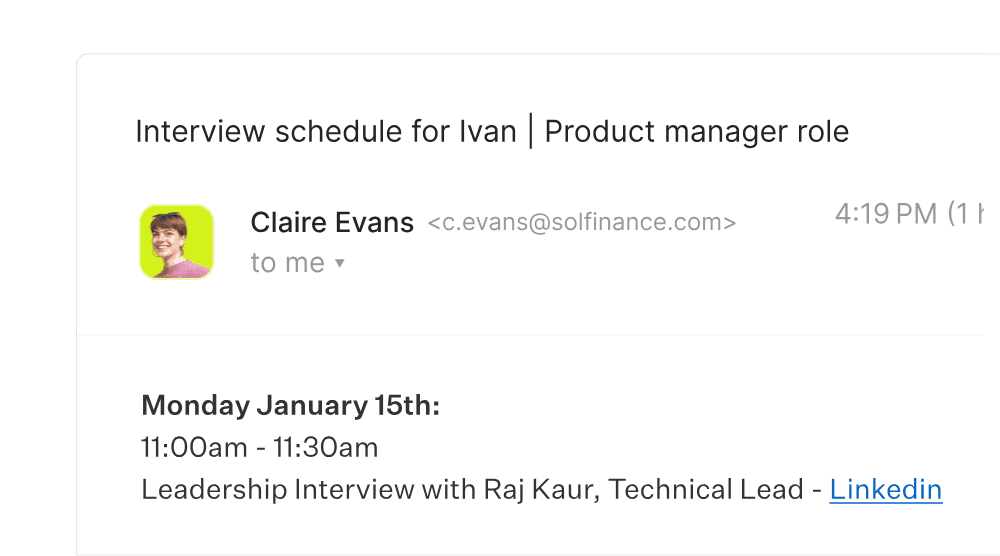
A schedule email from ModernLoop: it appears to come from the recruiter and links each interviewer’s LinkedIn profile.
For loops, the scheduling algorithm uses candidate availability, interviewer availability and interviewer load to propose several complete schedules, so coordinators choose instead of solving the puzzle. Calendar invitations, Slack notifications and email reminders go out automatically, and when an interviewer can’t make it, ModernLoop helps find the best replacement, so the candidate’s time can stay put.
Recruiters can request a schedule from a Chrome extension inside the ATS, and coordinators see every pending request in one queue with Scheduling Queues. For cross-region loops, read interview scheduling across time zones and calendars.
Sources
Vendor documentation describes each product as its vendor publishes it. All sources checked October 22, 2026.
Related articles

Overlap tables, daylight saving traps and Outlook vs Google permissions.
Requests, confirmations, reminders and reschedules, ready to copy.