GuideTalent acquisition platform vs ATS: what’s the difference?
Contents
Short answer
An applicant tracking system (ATS) is the system of record for hiring: jobs, candidates, stages, feedback and offers. A talent acquisition platform is the wider set of tools around it: CRM, career site, scheduling, assessments and onboarding, bought as one suite or assembled from an ATS plus point solutions that read from and write back to it.
What is a talent acquisition platform? The terms, defined
Vendors use these words loosely, which is why the comparison gets confusing. Here’s how we use them on this page.


ATS vs talent acquisition platform vs point solution
The three aren’t rivals. Most enterprise stacks use all three: an ATS at the core, suite modules where they’re good enough, and point solutions where the work is hardest.
| Dimension | ATS | Talent acquisition platform | Point solution |
|---|---|---|---|
| Scope | Applications, stages, feedback, offers and compliance | The ATS plus CRM, career site, onboarding, analytics and more | One workflow, done in depth |
| Typical buyer | Talent acquisition leadership, with HR and IT | HR or TA leadership, usually with procurement for a multi-year contract | The team that owns the workflow, such as recruiting operations or coordination |
| Data ownership | System of record for candidates and hiring decisions | A shared data model across modules, anchored on the ATS | Works on data the ATS owns and writes results back |
| Typical modules | Job posting, pipeline, scorecards, offers, reporting | ATS, CRM, career site, onboarding, internal mobility, analytics | Scheduling, assessments, background checks, sourcing, interviewer training |
| Strength | One audit trail for every hiring decision | Fewer vendors and one contract | Depth where volume or complexity is high |
| Watch for | Modules at the edges that cover the basics only | Modules that look complete in a demo but are thin in daily use | Shallow integrations that leave your team copying data by hand |
A reference architecture for enterprise recruiting
Think of the stack as five layers. Each layer has one job, and every kind of record has exactly one home. Here they are, from what candidates see down to the plumbing.
Two rules keep the layers honest. One home per record: candidates and applications live in the ATS, employees in core HR, availability in the calendar and identity in your identity provider. And every tool above the ATS writes back what it did, so a recruiter never has to check two systems to know where a candidate stands.

When one suite is enough, and when to add a layer
One suite is usually enough when hiring is steady, loops are short and recruiters can coordinate their own interviews. The built-in modules cover the basics, and one vendor is simpler to manage. The math changes when a single workflow becomes a job in itself. These are the threshold signals to watch:
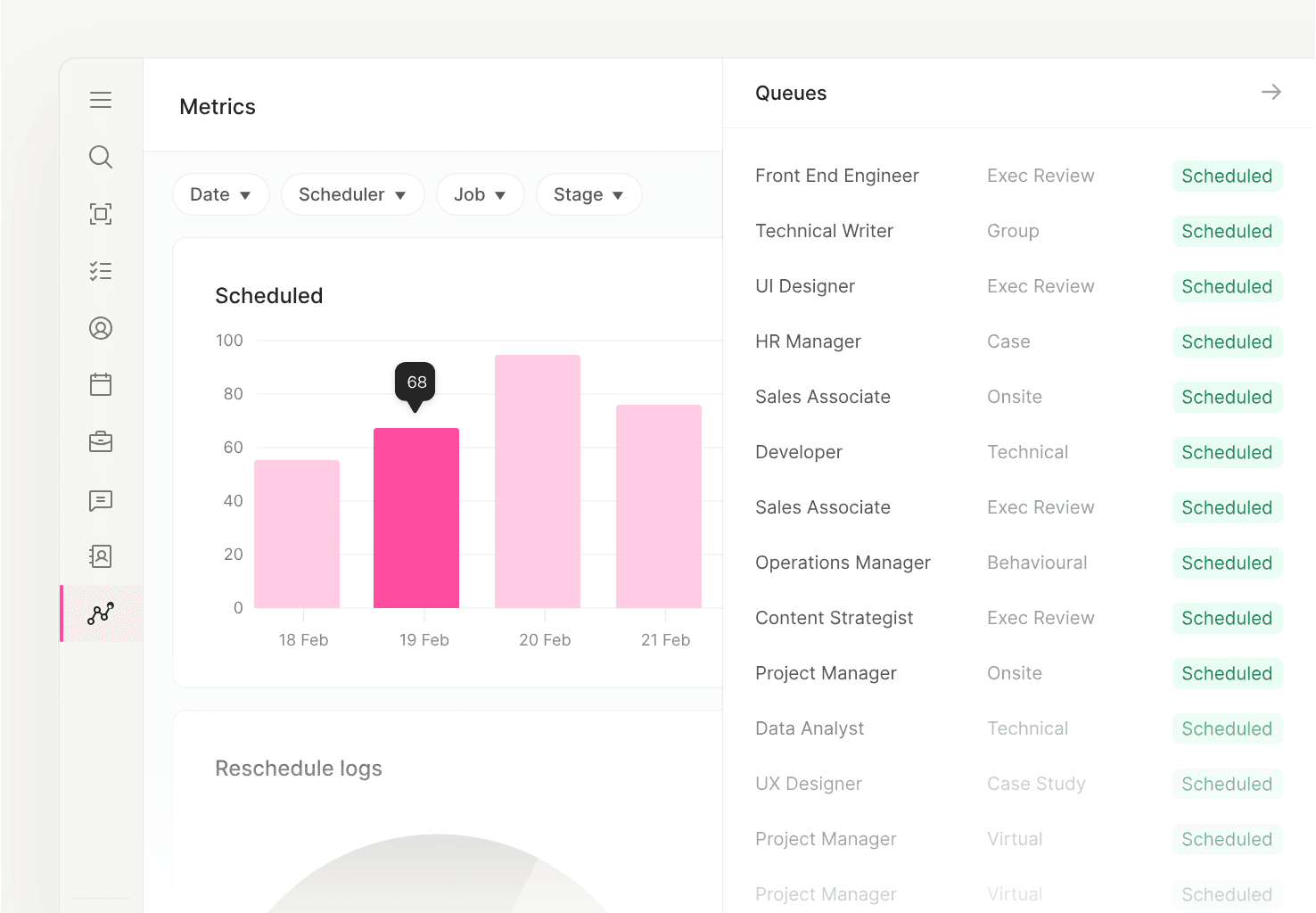
Reporting at the workflow level: ModernLoop’s Reporting & Dashboards shows interviews scheduled by day, beside the status of each scheduling request.
Adding a layer should never mean replacing your ATS. It’s the opposite: keep the system of record stable and put the specialist work on top of it.

How ATS integrations should work
An integration is only as good as what it reads, what it writes and when. Before you add any point solution, get answers to these in writing.
Ask, too, what happens when systems disagree: which record wins, how often data syncs, and what the tool does when a recruiter changes a stage mid-schedule.
Where ModernLoop fits in your stack
ModernLoop is a point solution for one of the hardest workflows in the stack: interview scheduling. It sits on top of your ATS, which stays the system of record. ModernLoop integrates with Workday, Greenhouse, Lever, Ashby and SmartRecruiters, with iCIMS coming soon, and syncs Google Calendar and Microsoft Outlook calendars.
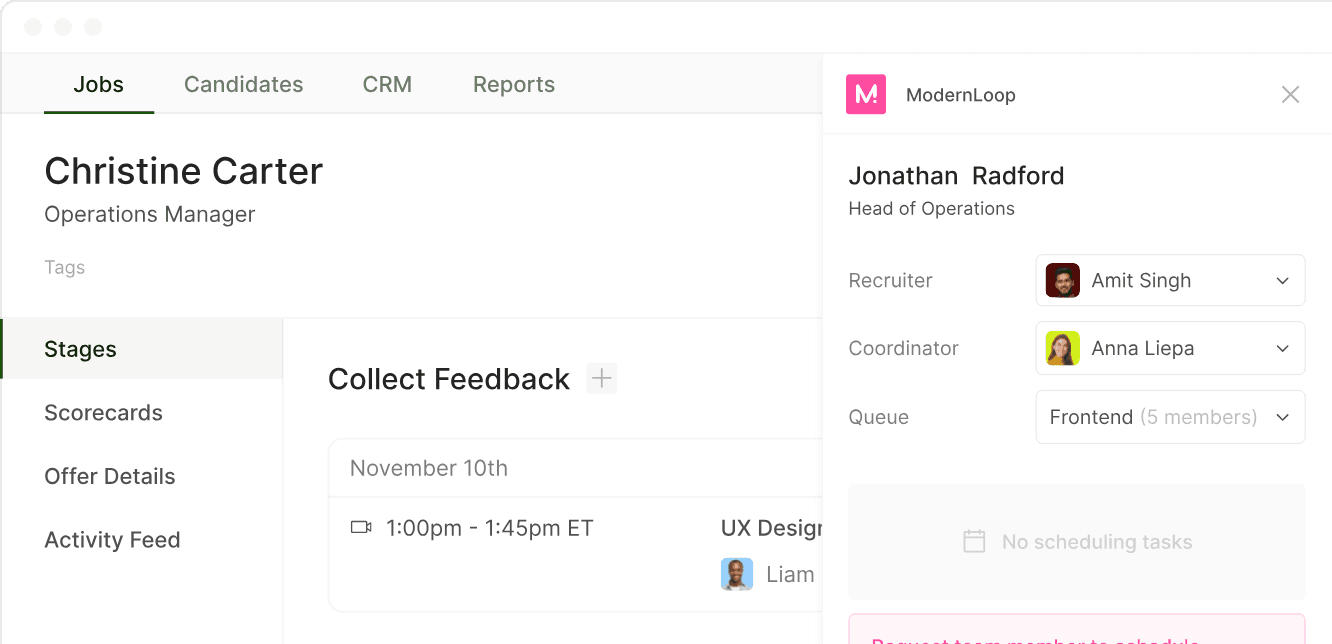
ModernLoop on top of your ATS: its panel sits inside the candidate record, with the recruiter, coordinator and scheduling queue.
With Zero Click Scheduling, a stage change in your ATS sends the interview request and scheduling link automatically. Recruiters can request a schedule from a Chrome extension inside the ATS, and coordinators work every request from one queue. Interviewer Training adds trainees as shadows and reverse shadows, the Candidate Portal gives candidates one branded place for their schedule, and Reporting & Dashboards shows scheduled and completed interviews against goals.
It connects to your shared services too: single sign-on through Okta, Microsoft Entra ID, Google or SAML, SCIM provisioning, Zoom, Google Meet, Microsoft Teams and Slack. See Integrations, or read the hiring automation guide for what to automate first.
Related articles

A stage-by-stage map, ranked by effort and payoff.
What to compare, and the questions to ask every vendor.