TemplatesInterview confirmation and scheduling email templates
Contents
Short answer
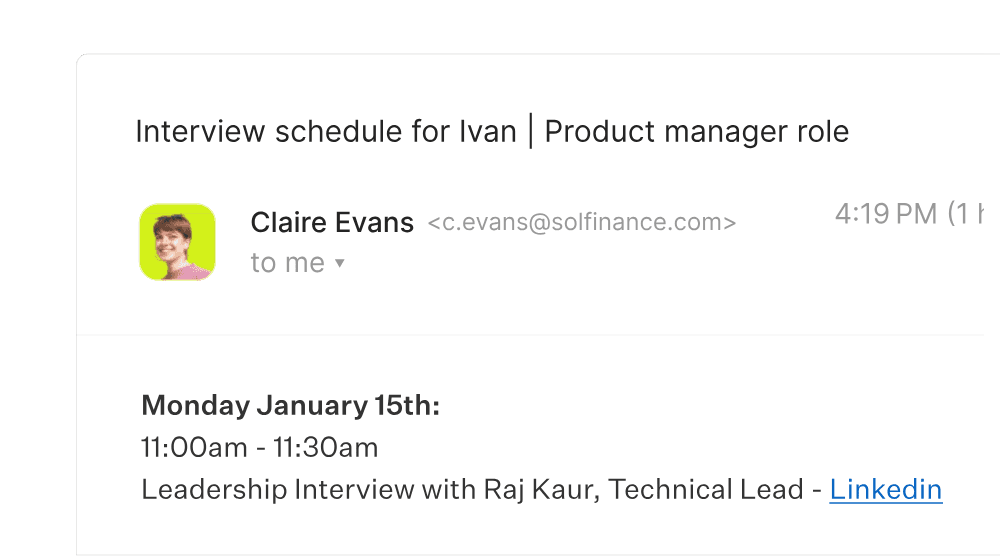
A good interview confirmation email confirms the role, date, time with time zone, length and format; names who the candidate will meet; gives one video link or the exact address; says what to prepare; and tells the candidate how to reschedule. Send it as soon as the time is booked, from a real person, with a calendar invite.
Below are 12 interview scheduling email templates, from the first request to the thank-you after the final round. Each one has a subject line, a note on when to send it, and merge fields in grey that you swap for your own details. They’re short on purpose, because a scheduling email gets read in a hurry.
They’re written for recruiting coordinators and recruiters. Paste them into Gmail, Outlook or your ATS’s email templates, and adjust the tone to sound like your team.
What a good interview confirmation email includes
Eight rules that apply to every email on this page.

Interview scheduling email template
The first email asks the candidate to pick a time. Send it with a scheduling link that shows real availability, so the candidate can book in one step instead of trading times over email.
Scheduling request with availability link
Send when a candidate moves to the interview stage
Subject: Next step with {Company}: pick a time for your {Interview type}
Hi {Candidate first name}, Thanks for your time so far. We’d love to move you forward to a {Length} {Interview type} with {Interviewer name}, {Interviewer title}, for the {Role} role. Pick any time that suits you here: {Scheduling link} Every time on that page is already open on our side, and times are shown in your time zone. If none of them work, reply to this email and we’ll find another. Talk soon, {Recruiter name} {Recruiter title}, {Company}
Interview confirmation email templates
Send a confirmation the moment a time is booked. Use the single-interview version for screens and one-to-one interviews, and the itinerary versions whenever the candidate meets several people.
Interview confirmation
Send as soon as a single interview is booked
Subject: Confirmed: your {Interview type} with {Company} on {Day, date}
Hi {Candidate first name}, You’re all set. Here are the details: When: {Day, date}, {Time} {Time zone} ({Length}) Where: {Video link, or the address and who to ask for} With: {Interviewer name}, {Interviewer title} What it covers: {One sentence, e.g. your experience leading design projects} A calendar invite with the same details is on its way. If you need to change the time, just reply to this email. It’s no trouble. Good luck, and talk soon. {Recruiter name}
Panel or onsite loop confirmation, with itinerary
Send once every interview in the loop is booked. For a single panel, list the panelists on one line.
Subject: Your interviews at {Company} on {Day, date}: itinerary inside
Hi {Candidate first name}, Your interviews for the {Role} role are confirmed for {Day, date} at {Office address}. When you arrive, ask for {Host name} at {Reception or entrance}. Your itinerary ({Time zone}): {Time}: {Interview 1} with {Interviewer name}, {Interviewer title} {Time}: {Interview 2} with {Interviewer name}, {Interviewer title} {Time}: Lunch with {Host name} (not an interview, we promise) {Time}: {Interview 3} with {Interviewer name}, {Interviewer title} {Time}: {Interview 4} with {Interviewer name}, {Interviewer title} Each conversation focuses on something different, so expect a range of questions. Please bring {What to bring, e.g. photo ID for the front desk and a laptop}. If anything changes on the day, call or text me at {Recruiter phone}. {Recruiter name}
Virtual onsite confirmation
Send once the loop is booked, with one video link for the whole day
Subject: Your virtual onsite with {Company} on {Day, date}: one link for the day
Hi {Candidate first name}, Your virtual onsite for the {Role} role is confirmed for {Day, date}. Every interview uses the same video link, so you can join once and stay put: {Video link} Your itinerary ({Time zone}): {Time}: {Interview 1} with {Interviewer name}, {Interviewer title} {Time}: {Interview 2} with {Interviewer name}, {Interviewer title} {Time}: Break (camera off, snack on) {Time}: {Interview 3} with {Interviewer name}, {Interviewer title} Before the day, test your camera and microphone on the link. {Anything else to set up, e.g. the coding environment we’ll send separately} If your connection drops, rejoin the same link, or call me at {Recruiter phone} and we’ll sort it out. Looking forward to it, {Recruiter name}
Multi-day loop confirmation
Send when the loop is split across two or more days
Subject: Your interviews with {Company}: {Date 1} and {Date 2}
Hi {Candidate first name}, To keep each day manageable, we’ve split your interviews for the {Role} role across two days. Both are confirmed. Day 1, {Day, date} ({Time zone}) {Time}: {Interview} with {Interviewer name}, {Interviewer title} {Time}: {Interview} with {Interviewer name}, {Interviewer title} Day 2, {Day, date} ({Time zone}) {Time}: {Interview} with {Interviewer name}, {Interviewer title} {Time}: {Interview} with {Interviewer name}, {Interviewer title} You’ll use the same video link on both days: {Video link}. There’s a calendar invite for each interview, and I’ll send a short reminder before each day. If either day stops working, reply here and we’ll move just that day. {Recruiter name}
Interview reminder email
A short reminder the day before heads off last-minute confusion about time zones and links. Send it about 24 hours ahead, in the candidate’s time zone.
Interview reminder (24 hours before)
Send about 24 hours ahead, in the candidate’s time zone
Subject: Tomorrow: your {Interview type} with {Company} at {Time} {Time zone}
Hi {Candidate first name}, A quick reminder that you’re meeting {Interviewer name}, {Interviewer title}, tomorrow, {Day, date}, at {Time} {Time zone} for {Length}. Join here: {Video link, or the address and who to ask for} Good to have handy: {What to prepare, or “nothing at all, just you”} If something has come up, reply to this email and we’ll find a new time. Otherwise, see you tomorrow. {Recruiter name}
Reschedule interview email templates
Interviews move. What candidates remember is how quickly you told them and how easy you made the new time. Use the first template when the change comes from your side, and the second when the candidate asks to reschedule.
Reschedule request (the change is on your side)
Send as soon as you know the time won’t hold. If a trained colleague can take the slot, offer that first.
Subject: Can we move your {Interview type} on {Day, date}?
Hi {Candidate first name}, I’m sorry to do this: {Interviewer name} can no longer make {Day} at {Time} {Time zone}. That’s on us, and your interview is very much still on. Here are new times that work on our side: {Scheduling link} Or reply with two or three times that suit you, and I’ll make one of them work. Thank you for being flexible, and apologies again for the shuffle. {Recruiter name}
Reschedule acknowledgement (the candidate asked)
Reply within one business day of the request
Subject: No problem, let’s find a new time
Hi {Candidate first name}, No problem at all, and thanks for letting me know. You can pick a new time here: {Scheduling link} Once you’ve chosen, I’ll cancel the original invite for {Day} at {Time} {Time zone} and send a new one with the same details. If nothing on the link works, send me a few times and I’ll take it from there. {Recruiter name}
No-show and cancellation emails
The hardest emails to write, and the ones most worth getting right. Keep them kind, specific and free of blame, whichever side missed the meeting.
Interviewer no-show: apology and rebook
Send the same day. Call first if you can.
Subject: I’m sorry about today’s interview
Hi {Candidate first name}, I’m so sorry. You were ready for your {Interview type} today, and {Interviewer name} didn’t join. That isn’t the experience we want for anyone, and it has nothing to do with your candidacy. I’d like to rebook as soon as it suits you, with {Interviewer name, or a colleague in the same role}: {Scheduling link} If you’d rather, reply with a few times and I’ll arrange everything around you. Thank you for your patience. {Recruiter name}
Candidate no-show follow-up
Send shortly after the missed start time
Subject: We missed you today. Want to pick a new time?
Hi {Candidate first name}, We had you down for your {Interview type} with {Interviewer name} at {Time} {Time zone} today, and we didn’t see you join. I hope everything is okay. If something came up, it happens. You can pick a new time here: {Scheduling link} And if you’ve decided to go a different way, a quick reply to let us know would be much appreciated. {Recruiter name}
Interview cancellation
Send when the interview won’t be rescheduled, for example when the role is filled or paused
Subject: An update on your {Role} interview with {Company}
Hi {Candidate first name}, I’m writing with an update before your interview on {Day, date}: {Reason in one honest sentence, e.g. we’ve paused hiring for this role}. We’re canceling the interview, and I wanted you to hear it from me rather than from a calendar notification. I’m sorry for the change of plans, and grateful for the time you’ve already given us. {If true: we’d like to keep you in mind for future roles, and I’ll reach out if one opens} {Recruiter name}
Thank-you email after the interview loop
Close the day with a thank-you and a clear next step, so the candidate isn’t left refreshing their inbox.
Thank-you after the interview loop
Send the same day the loop ends
Subject: Thank you for today, {Candidate first name}
Hi {Candidate first name}, Thank you for spending the day with us. That’s a lot of conversations in one go, and we appreciate the time and energy you brought to each one. Here’s what happens next: the interviewers share their feedback by {Day}, and you’ll hear from me by {Day}, whatever the outcome. In the meantime, if you have questions about the role, the team or anything you heard today, just reply to this email. {Recruiter name}
Send these emails automatically
Templates save typing. ModernLoop saves the sending. With Zero Click Scheduling, interview requests and scheduling links go out automatically as candidates move stages in your ATS, and candidates pick a time from the interviewers’ availability. The emails appear to come from the recruiter or hiring manager.
From there, ModernLoop sends tailored candidate emails, custom calendar invites and email reminders, and gives every interview in the loop one consistent Zoom or Google Meet link. Candidates see their schedule, job details and next steps in a branded Candidate Portal. And when an interviewer can’t make it, ModernLoop helps find the best replacement.
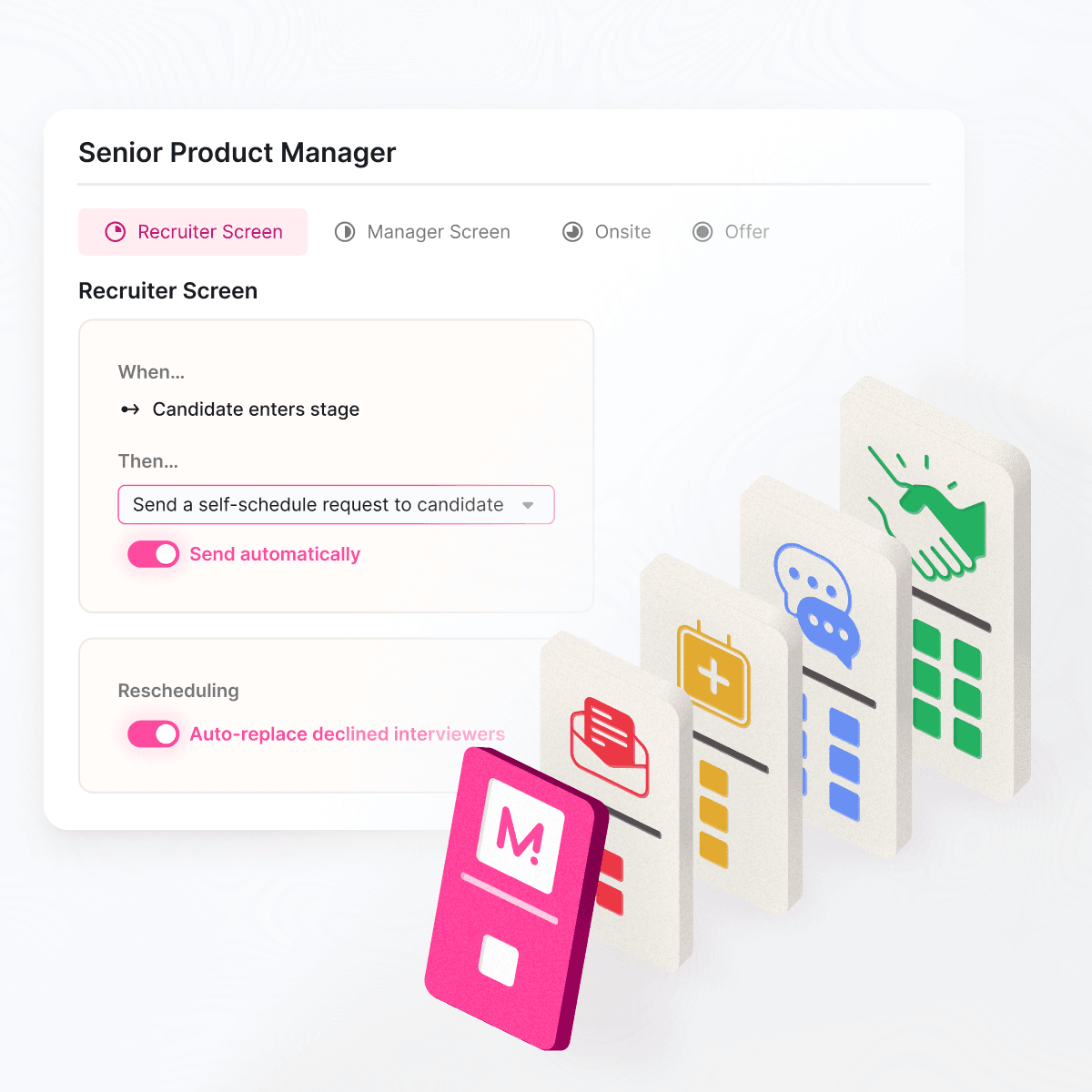
Zero Click Scheduling in ModernLoop: when a candidate moves stages in your ATS, the interview request and scheduling link go out automatically.

Take all 12 with you.
One doc with every subject line and email on this page, ready to paste into Gmail, Outlook or your ATS.
Related articles

A free schedule sheet and candidate itinerary to pair with these emails.
The step-by-step process, from the first availability request to cancellations.